Office Equipment

8 Questions Answered About Impressions Included in a Print Contract   

Submitted by Keith Metzler on

If you’ve decided to lease a printer from a vendor and are formulating your contract, you will likely hear some iteration of this question at some point: “Would you like to have impressions included, and if so, how many?”  

It’s probable, if you’re like most customers, that you are unfamiliar with what impressions included mean in a contract or lease agreement and how important they are.    

This is precisely the reason we want to use our experience as a long-time local print vendor to help you understand what impressions included mean and why it’s critical to include the right amount in your contract.    

Because including the wrong number of impressions has financial consequences and could lead to a more stressful situation if an adequate solution is not found.  
5 Common Printer Security Mistakes (With Solutions)  

Submitted by Nolan Fowler on
Video

 Where would printer security rank on your list of priorities in the workplace?    

If you’re like most companies, it’s probably somewhere between throwing away outdated food in your company refrigerator and cleaning up the coffee stain in the middle of the hallway.  

Translation: it’s near the bottom of your list.    

It’s easy to be inundated with more salient matters in your eight-hour workday and forget about your printer’s security altogether. This is precisely why hackers love printers as an intrusion point into your network, and why you might need to bump up printer security on your list of priorities.    

Our 35 years in the printer industry have afforded us an insider’s look into the technological advancement of office equipment, and subsequently, the need to secure that office equipment proactively.   

Why Are Older Printers Security Threats and Should I Replace Them?  

Submitted by Karla Metzler on
Video

Office security is like a house, with its many potential points of intrusion.     

Although you may have ample security at the front door, you might unknowingly have left the back window open, which precipitated a break-in just when you thought you had all your bases covered.   

Your printer could be the back window that a hacker infiltrates, resulting in a network invasion that cripples business processes and potentially exposes sensitive data.     

This is even more of the case with printers over 5-10 years old, which we will discuss in this article.    

Why Are Older Printers Security Threats and Should I Replace Them?  

Submitted by Karla Metzler on
Video

Office security is like a house, with its many potential points of intrusion.     

Although you may have ample security at the front door, you might unknowingly have left the back window open, which precipitated a break-in just when you thought you had all your bases covered.   

Your printer could be the back window that a hacker infiltrates, resulting in a network invasion that cripples business processes and potentially exposes sensitive data.     

This is even more of the case with printers over 5-10 years old, which we will discuss in this article.    

What Is the CSV Form and How Do I Fill It Out? 

Submitted by Karla Metzler on

The hard part is over. You’ve found the right machine, have your order agreement and are ready to sign the Consulting Services and Verification form (CSV). 

What is the CSV form and why is it necessary?   

Below is a description of what the CSV form is, and a breakdown of each of the six sections included in the document.   

What Is the CSV Form?    

The CSV form is a one-page document you’ll receive at the time your order is placed that sets expectations and lays out responsibilities for the installation and training on your newly purchased machine.   

It’s a document that’s primary purpose is to verify important information that you need to know before the machine is delivered and installed in your workplace.    

Why Are Printer Space and Electrical Requirements Important?

Submitted by Keith Metzler on

There are many things to consider when purchasing a printer.  

Some are obvious, like print volume and cost, and some are more inconspicuous, like space and electrical requirements, which is what we will be covering today.    

As a long-time local print vendor, we’ve seen numerous cases of customers that purchased a printer and thought they had everything in order, only to realize on delivery day that the machine they bought doesn’t fit in their office or doesn’t have the correct electrical outlet.    

Space and electrical capacity are not issues that affect a lot of customers, but it’s one that can lead to multiple consequences, which makes them an essential factor to examine before purchasing a new machine.    

What You Should Expect in Your CEIG 

Submitted by Magye Swenson on
Video

There are a few notable documents that come with the purchase of a printer, and one of those will extensively lay out everything you need to know about your machine. 

It’s called the Customer Expectation and Installation Guide, and it is a crucial document to look over before delivery and installation day.     

What is the CEIG? Why is it important? Do I need to sign and send it back? 

These questions will be addressed in this blog, so you’re better informed on what role the CEIG plays in the pre-delivery process.     

It should be noted that in the case of this blog, CEIG applies specifically to Xerox machines, which we sell, and may not pertain to other models or brands of printers.    

How To Set Up and Maintain Color Tracking on Your Printer  

Submitted by Joel Metzler on

On average, color prints cost between $0.07-$0.30 per print, a seemingly minuscule price that any business could bear.  

But what happens when you consistently print in color, and the costs add up faster than you realized?  

You’re left with a high printing bill and a puzzled look because you didn’t recognize how much color printing costs could run up your monthly print invoice.   

As a print vendor with noted experience finding and dissecting customers’ print problems, we know how common it is for color overages to contribute to higher-than-normal print expenses.    

Xerox, the company we partner with, has a standard feature that can be enabled on most of their devices called color tracking which could serve as a remedy for businesses that need to get a hold of their color printing costs.    

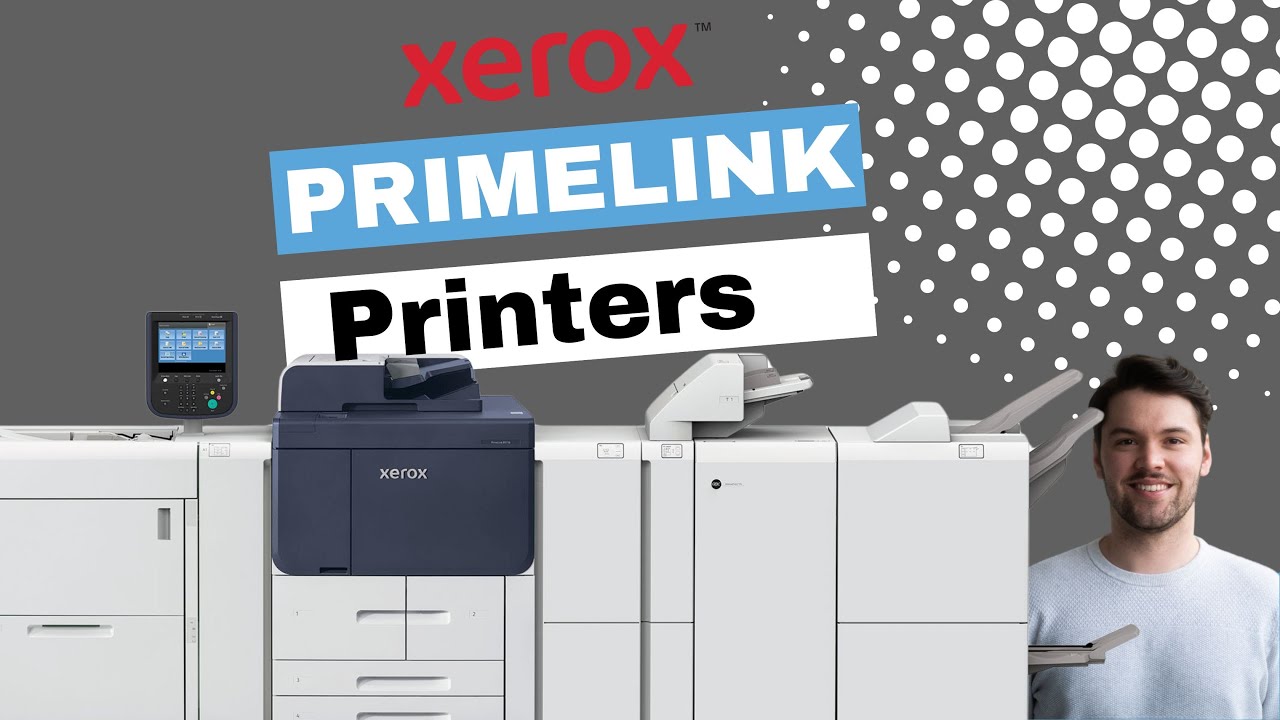
What Is the Xerox PrimeLink Printer Family? (Features and Cost)

Submitted by Magye Swenson on
Video

It’s not easy to figure out which printer brand or model to go with if you don’t have a firm understanding of what you’re looking for in a machine.  

This is perhaps doubled in difficulty when talking about production printers, which is what we’ll be covering today.  

Production-style printers meet very specific needs, and the truth is, most consumers will not need to invest in one.   

As a long-time, local print vendor, we’ve gathered the requisite knowledge to know when a production-style machine is necessary and can adequately convey who would be a fit for one.    

We maintain platinum status as a Xerox Agent Channel and are experts in the company’s production product family, which includes the PrimeLink printers that will be the topic of discussion in this blog.     

5 Things to Avoid When Buying a Printer/Copier

Submitted by Mary Shamburger on

You may not believe it at first thought but buying a printer for your business is a big investment that should not be taken lightly.

Printer/copier prices can range from the low hundreds to the high thousands, and if you’re not aware of what you need to look for in a machine, you could make a costly purchase that hurts your business rather than helps it.  

We’ve sold office printing equipment for over 35 years now and have seen ill-informed consumers make the wrong purchase too many times because they either didn’t have access to the right information or made a quick purchasing decision with little research conducted.  

At Strategic Technology Partners of Texas, we strive to deliver the objective and unfiltered information you need to know so by the time you’re ready to buy, you’ll know exactly what you’re looking for.  

Subscribe to Office Equipment