Supplies & Maintenance

How Do I Set Up an Internal Address Book on My Xerox Device?

Submitted by Joel Metzler on

 There’s nothing more fun than tedious office tasks like scanning and sending documents- said no one ever.  

There’s a reason these tasks are tedious- you do them again and again, and while they might not be inherently difficult or time-consuming, it’s still something that’s taking away from your productivity time, and it can get old quickly.  

We’ve been in this industry for a long time, and we’ve seen the best ways to cut down on unnecessary tasks and increase productivity, and being able to have all your contacts available on your printer for easy selection and management is an invaluable resource in a busy office environment.  
4 Ways That Having Personalized User Accounts Can Benefit Your Organization

Submitted by Joel Barriga on

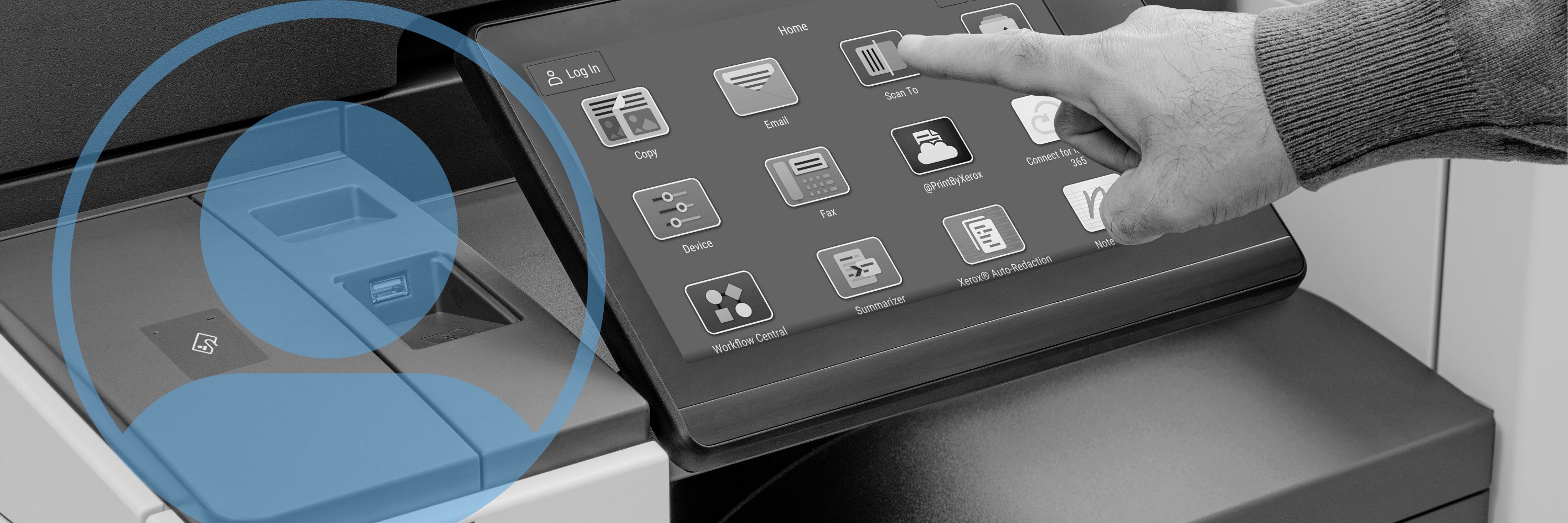
While it might seem like a minor inconvenience to some, constantly looking through apps just to find the same one that you use every day is a waste of valuable time that could be spent working. That’s why we’ve found one of the best solutions for organizations with multiple users assigned to print is personalized individual user accounts, made possible with Xerox ConnectKey Technology.  


Xerox ConnectKey Technology and Individual Profiles

Xerox ConnectKey Technology is the platform that Xerox products utilize in order to allow users to be more productive and meet the demanding challenges of their day-to-day work. It hosts a variety of apps designed to boost performance and make end-users lives significantly easier.    

Where Does Printing Fit in a Hybrid Workspace?

Submitted by Karla Metzler on

We all know how challenging the past year and a half has been. With all of the changes that we’ve had to get accustomed to, working from home was probably one of the biggest, and for some, the most challenging (parents, teachers, etc.). Others, however, enjoyed the flexibility and comfort of working from home and found that they were more productive or that it was more convenient for them.  

Now that the country is opening up again, many businesses are calling their employees back to the office. But with the benefits of working from home so apparent for some, and inconvenient for others, it’s hard to find a solution that caters to everyone’s individual needs. That’s where a hybrid work schedule comes into play.  

Who is Strategic Technology Partners of Texas?

Submitted by Karla Metzler on
Video

Navigating the copier/printer industry and looking for a reliable print vendor can be quite the hassle. You may not know if you’re getting the best deals, the best equipment, or even if you’re working with the best vendor. 

We here at Strategic Technology Partners of Texas have been operating for over 35 years, and we’ve experienced firsthand the difference that a good vendor/customer relationship can have. We also know that understanding the history of your print vendor can help you avoid any confusion, especially if they’ve changed names a couple of times like us.  

We’ve written this brief explanation of our history and experience, and what sets us apart from other print vendors, so you can feel confident in knowing you’re working with an accredited company that’s here to assist you in any way that you need.  

What is Color Tracking, and What are the Benefits?

Submitted by Joel Barriga on

Do you know how much your organization is spending on color prints? When was the last time that you took a look at your printing records, or your invoices? 

Printing can become a big cost for businesses that aren’t keeping up with their print volume, and especially color printing. That’s why as an experienced print vendor we recommend all businesses to utilize some form of print management or color tracking.  

What is Color Tracking? 

Color tracking refers to the process of regulating color prints and controlling the costs by using a form of print management

This feature allows users to view and manage who within their organization can print, color or black and white, how much they can print, and even when they can print. They can then set limits and conditions to control printing costs.  

Two Important Documents to Look Over Before Your Installation

Submitted by Joel Barriga on
Video

Congratulations on your new machine! 

If you’ve recently purchased a new device, then it’s likely that you’re preparing for an installation and delivery. There are two important forms that need your attention before the date of your installation, and this article will cover them both and why they’re important. The first is a Customer Requirments Input Form, which needs to be filled out and submitted back to your business consultant. The second is the Customer Expectation and Installation Guide, which will provide you with all the information you need to prepare for your new device.  

Printer Security: Xerox's Approach, and Why it Matters

Submitted by Karla Metzler on

Have you ever thought about all the different ways you’re exposing your company to cybercrime or data hacks? Did you think that these could occur through your copier/printer? 

No one can understate the importance of security in times like these, and especially with many employees still working from home. That’s why we, as experienced Xerox copier/printer vendors, have compiled this blog showcasing the many different ways that Xerox leads the industry in printer security, and why you can have peace of mind when printing to a Xerox device.  

5 Signs You Are an Ideal Customer for STPT

Submitted by Karla Metzler on


On your journey to finding a copier vendor to partner with, we would like to help you by determining if you are an ideal customer for us. 

We believe determining if you are an ideal customer will ensure you have a seamless buying process and feel satisfied that we will care for you post-purchase. After all, this is a relationship you could be in for several years. 

If you purchase from a vendor that isn’t a good fit, you’re going to have a strained relationship with the company.   

If you and your vendor are on two different levels in terms of price point, features/tools, and other factors that influence your decision, it’s going to lead to a strained buying process.   

Say you push through the strained buying process and sign a contract with them. If you aren’t a good match, prepare for a year (or however long your contract is) of painful conversation and frustrating exchanges.   

Updated  MacBook  OS and Lost Xerox Printing Capabilities (Solution)

Submitted by Karla Metzler on

Help! I just updated my MacBook, and I lost the printing capabilities of my Xerox device!  

Don’t panic; this is an issue we have handled many times. We have put together a step-by-step guide (with pictures) to help you resolve this issue. 

Disclaimer, this guide is for MacBook specifically. If you’re having issues with another laptop brand, such as Chromebook, the answer and solution will differ from this guide.  

After reading this article, you should be able to print from your MacBook once again, with all your Xerox features.  

Why You’re Experiencing Problems When Printing From a Chromebook

Submitted by Karla Metzler on

The popularity and affordability of Chromebook laptops by Google has made this device a competitor in the computer industry. While this device has proven useful for the demographic of high school students and college undergrads; Chromebooks aren’t as useful in a business environment.  

With Chromebook’s tantalizing price point and basic functionalities, the question becomes why isn’t a Chromebook right for your business needs?  

However, if you already own a Chromebook you might already be asking the question that this article will address, why is your Chromebook not printing or working correctly with your multifunction printing equipment? 

The short answer to both questions is because Google’s Chromebook doesn’t integrate well amongst major brands of printing products. 

Subscribe to Supplies & Maintenance