Office Equipment

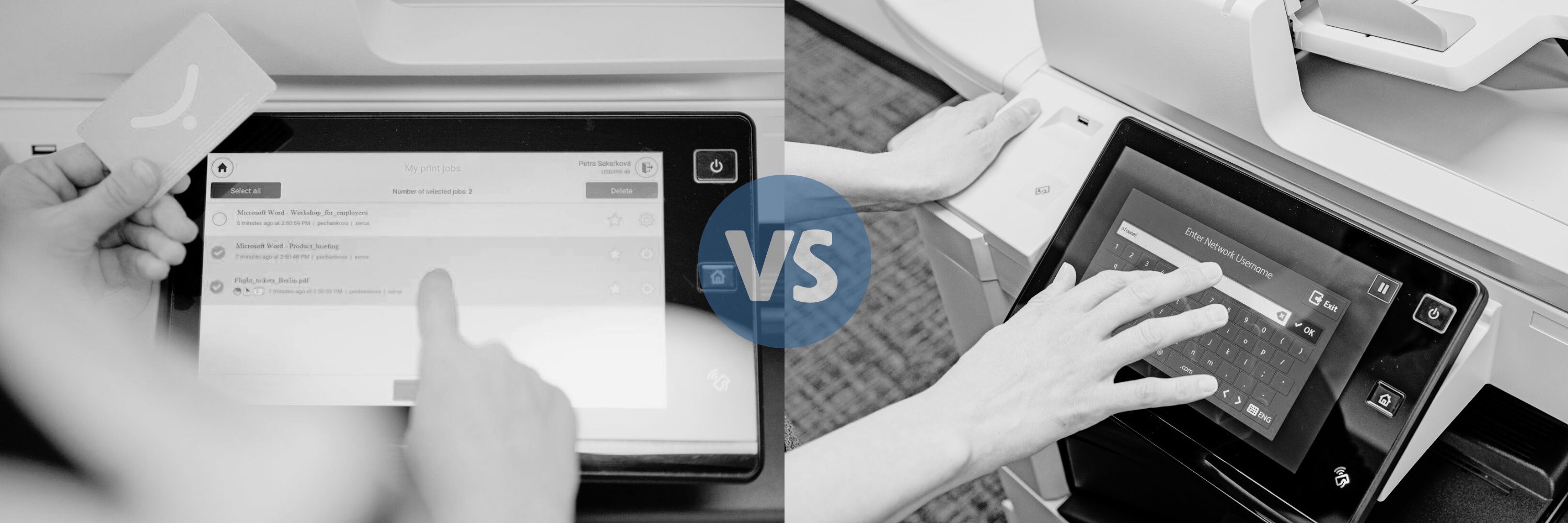
Y-Soft SafeQ Print Management vs. Xerox Standard Accounting
Submitted by Karla Metzler on

These days, businesses are always looking for different ways to cut costs and maximize their office productivity. With so many different options out there, it’s important to understand the ins and outs of each one and to decide which is better suited for your needs. Y-Soft SafeQ  Print Management Suite and Xerox Standard Accounting are two great options, but they each have their own key points worth highlighting.  
Xerox Color Tracking or Y-Soft SafeQ Print Management- What's Right for You?

Submitted by Karla Metzler on
Video

Wanting to save money is one thing that a lot of us have in common. If you’ve noticed that your company has been spending quite a bit on color impressions, and you’re looking through the different methods available to you for tracking and controlling your color usage, then Xerox Color Tracking and Y-Soft SafeQ Print Management are probably some features you’ll be interested in.

Here we’ll break down the key features of each one, list the pros and cons, and help you decide which might be better suited for your company’s needs.  

Xerox Color Tracking

Xerox Color Tracking is one part of a standard feature referred to as Xerox Standard Accounting, that is automatically included when purchasing a Xerox device. It offers several ways for users to track or limit the use of color on their Xerox machines.  

6 Reasons Why Your Copier/Printer Technology Should Be the Same Brand

Submitted by Karla Metzler on

Picture this: You have one phone number for your copier, one for your print management, and a completely different one for your service technician. Even worse, they all belong to different brands, creating confusion for you and your staff.   

Additionally, budgeting each month for all these different brands has been a nightmare, to say the least.  

If you had the same copier/printer technology, it’s more likely that you wouldn’t be experiencing these issues. Numerous phone numbers and messy budgeting aren’t the only reasons that we recommend keeping your brands consistent. Here are the top 6 reasons why you should stick to the same brand when it comes to your copier/printer technology.  

5 Signs You Are an Ideal Customer for STPT

Submitted by Karla Metzler on


On your journey to finding a copier vendor to partner with, we would like to help you by determining if you are an ideal customer for us. 

We believe determining if you are an ideal customer will ensure you have a seamless buying process and feel satisfied that we will care for you post-purchase. After all, this is a relationship you could be in for several years. 

If you purchase from a vendor that isn’t a good fit, you’re going to have a strained relationship with the company.   

If you and your vendor are on two different levels in terms of price point, features/tools, and other factors that influence your decision, it’s going to lead to a strained buying process.   

Say you push through the strained buying process and sign a contract with them. If you aren’t a good match, prepare for a year (or however long your contract is) of painful conversation and frustrating exchanges.   

Are We an Ideal Fit To Switch From a Retail Copier to a Commercial Copier?

Submitted by Karla Metzler on

While researching and evaluating all the places you can purchase a copier/printer, you happened to stumble upon us, Strategic Technology Partners of Texas (STPT). 

You might have an idea of what products/services we offer at this point, but are we the right fit for your copier needs? 

While we do believe we can solve most customer’s printing problems, not every customer will be the best fit for us.  

After investigation, we discovered our current customers had five stress points in common when they first migrated to our company. These five stress points are what we solve best, creating the perfect customer-vendor relationship.  

Are 3D Printers Right for Your Business?

Submitted by Karla Metzler on

Who remembers as a kid, getting excited for any new movie with the word ‘3D’ attached to it? 

Something was fascinating about how the flimsy blue and red paper glasses made the movie come to life right before your eyes. 

3D movies were more engaging and interactive than their 2D counterparts.  

Luckily, growing up did not diminish the excitement of 3D projects.  

Thanks to advancing technology, this 3D experience has migrated from the big screen to your office or classroom via 3D printers.  

What is a 3D printer? 

3D printers allow users to print three-dimensional objects. The printer takes a digital file and converts it to a language that the printer can understand. Then the printer uses a material called filament to produce the object. 

What is Y-Soft's 3D Printer and Learning Academy?

Submitted by Karla Metzler on

Y Soft has been known for their print management software for copiers/printers that allows companies to track, analyze, and control costs of the machine and supplies. 

These benefits, and the other abilities print management provides, make owning and controlling the cost of copier fleets manageable.  

This background in print management allowed Y Soft to release a 3D printer integrated with print management – the first comprehensive solution for managing 3D and 2D printer fleets in the industry.  

Stand-alone 3D printers can be costly, hard to manage, difficult to incorporate into curriculum, and often end up underutilized. 

What Products and Services Do We Offer?

Submitted by Karla Metzler on

 You might be scrolling through our learning center or product catalog thinking besides copiers, what can you provide me? 

Of course, we do sell copiers and multifunction devices. As an Authorized Xerox Partner, we are licensed to sell a wide variety of Xerox machines, from a small desktop printer to a massive production unit. 

If you have printing needs, we have a machine for you. 

However, we want to provide you with more than just a printer. We want to equip you with the technologies to transform your machine into a workplace assistant.  

Today we are going to provide a list of services we offer for Xerox users, or those who plan to make the switch to our Xerox machines, and those who are not using a Xerox device.  

What Is the Xerox Fleet Orchestrator?

Submitted by Mary Shamburger on

Between technical support, computer management, monitoring servers, and more, the IT department has its hands full. 

Often, the IT department spends hours updating and making changes to the company’s fleet of multifunction printers.  

Constant upgrades or help desk requests can take up a huge chunk of the department’s time.  

Companies who find themselves annoyed by tedious copier tasks would benefit from software that allows for configurations to take place in one centralized location, like the Xerox Fleet Orchestrator. 

What is the Xerox Fleet Orchestrator? 

The Fleet Orchestrator is a software that allows for automatic changes to be deployed across an entire copier fleet, from one location. 

Why You’re Experiencing Problems When Printing From a Chromebook

Submitted by Karla Metzler on

The popularity and affordability of Chromebook laptops by Google has made this device a competitor in the computer industry. While this device has proven useful for the demographic of high school students and college undergrads; Chromebooks aren’t as useful in a business environment.  

With Chromebook’s tantalizing price point and basic functionalities, the question becomes why isn’t a Chromebook right for your business needs?  

However, if you already own a Chromebook you might already be asking the question that this article will address, why is your Chromebook not printing or working correctly with your multifunction printing equipment? 

The short answer to both questions is because Google’s Chromebook doesn’t integrate well amongst major brands of printing products. 

Subscribe to Office Equipment